If you’re one of those people who ordered a new sofa, got a call from the delivery guy, and then realized it wouldn’t fit through the door — this guide is for you. The world of the best free floor plan app for Android has changed a lot in 2026. Older apps either crashed or slapped a watermark on exports. Not anymore.
I’ve personally tested 15+ apps. This list only includes the 7 that truly deliver on being a free floor plan app for Android. Each has its own use case, its own limits, and its own quirks. Some have AR scanning, some are kings of the manual grid, and some bring life to 3D renders. And yes — there’s also a home design app for Android free that’s open-source, absolutely zero cost.
What “Free” Actually Means in 2026 (Read This First)
Designer’s Note:
In 2025, many apps claimed to be free, but as soon as you drew two walls, a “Subscribe” pop-up appeared. 2026 is a bit better, but still — choose with your eyes open.
Always check three things:
- Watermark: Free versions paste their logo. If you need to send it to a rental agent, it’s embarrassing.
- Export Resolution: Some apps offer free export, but it’s a blurry 480p image. Not printable.
- Project Limit: You can save only 1–2 rooms. As soon as you try a third, you see an “Upgrade” tag.
A good free floor plan app for Android doesn’t stop you from designing. If it only asks for money on final high-res PDF or 4K renders, that’s acceptable.
Now let’s get to the real 7 apps. Each has its own style, its own story.
The Top 7 Best Free Floor Plan Apps for Android (2026 Detailed Reviews)
1. MagicPlan – Best for AR Scanning & Field Estimates
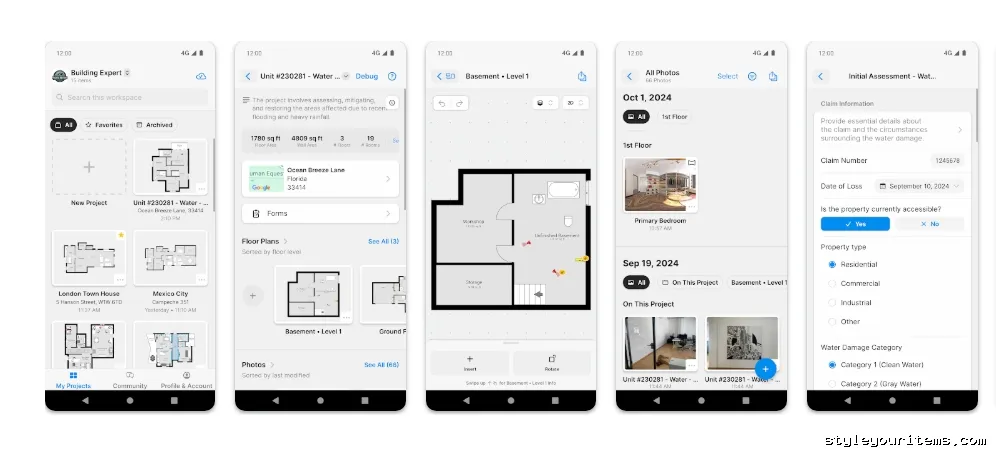
Best for: Contractors, real estate agents, renovation estimators.
This app gives you a “laser tape measure” experience. You open the camera, point at the corners of the room, and the app builds walls as you watch. In real time. Like magic.
What’s free:
Room scanning, manual drawing, room templates.
What’s not free:
High-res PDF, DXF export — those are locked behind a paid subscription. The Android version has fewer AR features than iOS — that’s the truth.
Who is it best for?
Professionals who have broken up with their tape measure.
Limitation:
A dark room or stuff lying on the floor confuses the AI. Clean the room first, then scan.
Pro-Tip:
Take a free screenshot from MagicPlan. Then import it into another app. Job done.
Official App: MagicPlan on Google Play
2. Floor Plan Creator – Best for Manual Precision & Grid Accuracy
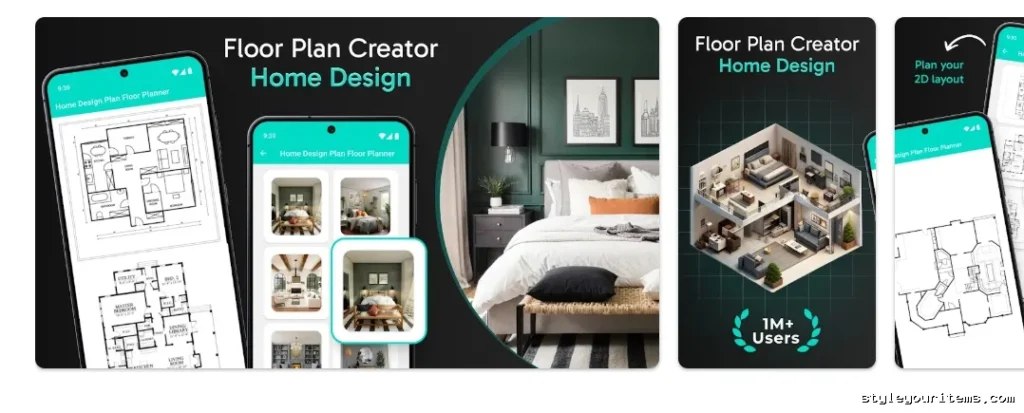
Best for: Homeowners who already measured their house with a tape measure
It looks a bit old-school. But if you need precision? This is it. The interface isn’t flashy — because it focuses on grid snapping and exact dimensions.
What’s free:
- Manual wall placement with exact inch/centimeter entry
- Doors, windows, stairs
- Automatic square footage calculation
- Image export without watermark
What’s not free:
Ads appear. Cloud saves are limited — save locally.
Who is it best for?
Homeowners who have already measured their house and now want a digital copy.
Pro Move:
In this floor plan creator for Android, arrange the furniture first. Then physically move things around. Saves both time and money.
Official App: Floor Plan Creator on Google Play
3. Planner 5D – Best for 3D Visualization & Material Testing
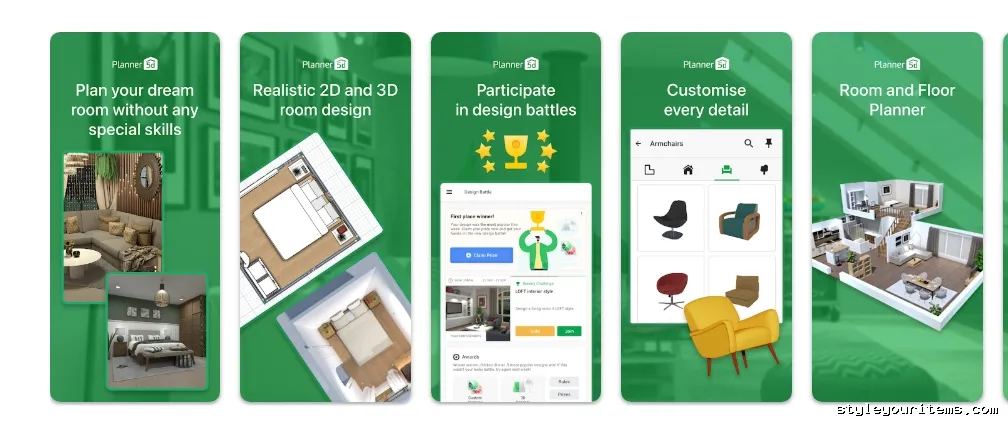
Best for: Interior design inspiration, wall color testing, client presentations.
This app turns your boring 2D floor plan into an Instagram-worthy 3D render. The material library is huge, but there’s a catch.
What’s free:
- Full floor structure (walls, doors, windows)
- Basic 3D view
- 3D walkthrough (works even in the free version)
What’s not free:
Good furniture, designer textures, high-res exports — all are pay-per-item.
Who is it best for?
Checking the “look and feel.” Don’t use it for technical architectural plans.
Designer’s Note:
Planner 5D’s 3D walkthrough feature works for free — you can take a virtual tour of your home.
Official App: Planner 5D on Google Play
4. Home Planner AI – Best for Beginners & Drag-and-Drop
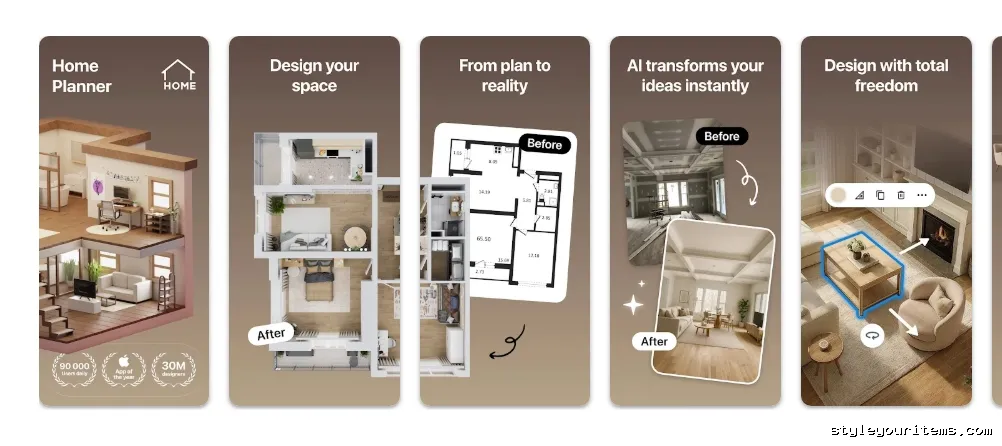
Best for: Renters, seniors, non-tech-savvy users.
Their free floor plan app for Android is so simple that even your mom can use it.
What’s free:
- 2D layout + basic 3D view
- Furniture library with drag-and-drop
- Ad-supported but fully functional
What’s not free:
4K rendering, realistic lighting effects, advanced materials — those are paid.
Who is it best for?
Beginners. Or anyone who wants to show a realistic layout to their spouse without spending hours learning software.
Designer’s Note:
Home Planner AI app is the most stable in 2026. Some apps were crashing in 2025 — this one didn’t.
Official App: Home Planner AI on Google Play
5. HomeByMe – Best for Multi-Story Houses & Offline Work
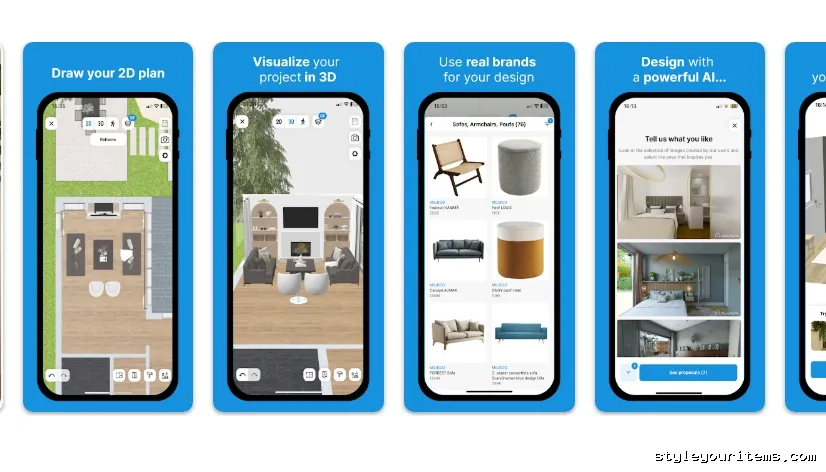
Best for: Full home renovations, multi-floor projects, offline site work.
Most free apps only handle one room. Try to make a second floor and they show “Upgrade.” Not HomeByMe.
What’s free:
- Full 2D and 3D visualization for multiple floors
- Offline mode — gold for site work
- Project sync across mobile and desktop
What’s not free:
The free catalog is limited. Full project export (high-res) requires a subscription.
Who is it best for?
If you’re doing a full renovation or building a house from scratch (even on your phone), take this.
Pro-Tip:
Take a screenshot — send it on WhatsApp. No one will know it’s the free version.
Official App: HomeByMe on Google Play
6. Sweet Home 3D – Best Truly Free Open-Source Option
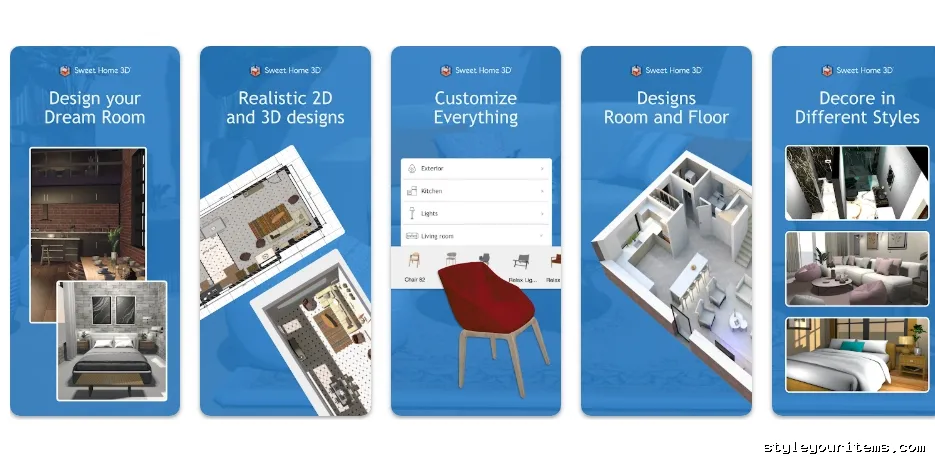
Best for: Privacy-conscious users, open-source enthusiasts, commercial use.
Now let’s get straight to the point. If you’re looking for a home design app for Android free that is truly 100% free — no watermark, no subscription, no “pro” tricks — Sweet Home 3D is it.
It’s open-source. It falls under the GNU GPL license. You can use it for commercial purposes too, at no cost.
What’s free:
- 2D plan drawing + real-time 3D view
- 10,000+ 3D models and 400+ textures (more in the paid version)
- Cross-platform — sync from desktop to mobile
- Zero ads
What’s not free:
The mobile version doesn’t have as many advanced features as the desktop. But for basic floor planning, it’s enough.
Who is it best for?
People who want to design a home without any cost. Students, hobbyists, or anyone who trusts open-source.
Designer’s Note:
Sweet Home 3D’s desktop version is much more powerful. Make a rough layout on mobile, then refine it on desktop. Still free.
Official App: Sweet Home 3D on Google Play
7. Homestyler – Best for AI-Assisted Design & Community Inspiration
Best for: Quick AI-powered redesigns, mood boards, design inspiration.
Formerly part of Autodesk, now a separate company. But the quality is still solid. Homestyler has AI features that take your photo and redesign the room.
What’s free:
- 2D and 3D floor planning
- AI room redesign (try out different styles)
- Massive community gallery — millions of user projects
- Drag-and-drop furniture placement
What’s not free:
HD renders, advanced export options, premium furniture catalog — those are paid.
Who is it best for?
People looking for design inspiration. Take a photo of your room, ask the AI to redesign it in “modern farmhouse” style — you get a result in 2 minutes.
Pro-Tip:
Homestyler’s community gallery is available for free. Look at someone else’s design, tweak it to your dimensions — saves time.
Official App: Homestyler on Google Play
Quick Comparison Table: Which Free Floor Plan App for Android Wins?
| App Name | Best Feature | Free Export? | Biggest “Free” Limitation |
|---|---|---|---|
| MagicPlan | AR room scanning | No (preview only) | Android lacks iOS AR features; export paywalled |
| Floor Plan Creator | Manual precision | Yes (image) | Ads; limited cloud saves |
| Planner 5D | 3D renders & walkthrough | No (watermark) | Premium furniture pay-per-item |
| Room Planner | Drag-and-drop for beginners | Yes (basic) | No 4K rendering or lighting |
| HomeByMe | Multi-story & offline | Yes (screenshot) | Limited free catalog |
| Sweet Home 3D | Truly free open-source | Yes (no watermark) | Mobile version less powerful than desktop |
| Homestyler | AI redesign & community | No (HD exports paid) | Advanced features paywalled |
Take a screenshot of this table. If you get confused, open it and look.
Decision Guide: Choose Based on Your Project (2026 Edition)
Scenario 1 — “I need accurate measurements for IKEA furniture.”
→ Floor Plan Creator. Measure the room with a tape measure, enter it in the app. Ignore 3D rendering. Focus on grid and measurements.
Scenario 2 — “Will a king bed fit in my small bedroom?”
→ Scan with MagicPlan. Then import into Planner 5D, drop in a bed model, and walk around in 3D to check.
Scenario 3 — “I’m a landlord/agent showing layouts to tenants.”
→ HomeByMe. Clean 3D views look professional without a subscription. Take a screenshot, send on WhatsApp.
Scenario 4 — “I want a truly free app with no watermark, no subscription, just pure design.”
→ Sweet Home 3D. Open-source, even commercial use is free. The desktop version is more powerful, but you can make a rough layout on mobile.
Scenario 5 — “I have a photo of my room and want to see it in 5 different styles without designing from scratch.”
→ Homestyler. The AI redesign feature works in 2 minutes. Try any style — modern, farmhouse, industrial.
Pro Tips for Getting the Most Out of Free Floor Plan Apps
- First, make a junk room. Don’t design your dream kitchen directly. First, build a garage or storage room. Learn the controls. Make mistakes there.
- Trust the grid more than the camera. AR is cool, but for final construction, manual grid entry is more accurate. Get your tape measure. Write down inches. Then enter them into the app.
- Screenshot is your best friend. If an app asks for money to export, just take a top-down screenshot. Then crop it. Gets 99% of the job done.
- Build the same project across multiple apps. No single app does everything. Scan with MagicPlan, refine with Floor Plan Creator, view in 3D with Planner 5D, try AI styles with Homestyler. All free. Benefit from all.
- Don’t forget open-source. Apps like Sweet Home 3D are free even for commercial use. If you’re a designer sending layouts to clients without a watermark — this is the way.
Frequently Asked Questions (FAQ)
Is there a completely free floor plan app with no watermarks for Android?
Rarely. Sweet Home 3D is one — open-source, GNU GPL license, commercial use also free. Floor Plan Creator saves images without a watermark (though it has ads).
Can I use these apps offline?
Yes. Most allow offline creation. HomeByMe specifically mentions its offline mode. But you’ll need internet to save the final project to the cloud.
Which free app has the most accurate measuring tools?
MagicPlan → Camera-based (best on Android with LiDAR).
Floor Plan Creator → Manual tape measure entry, more precise for walls.
Are these apps safe? Do they sell my floor plan data?
Generally safe. Avoid apps that ask for unnecessary permissions (contacts, SMS). Stick with major developers — Chief Architect, Sensopia (MagicPlan), Sweet Home 3D (open-source, transparent).
Which free floor plan app is easiest for seniors or non-tech-savvy users?
Room Planner — very simple. Drag and drop. Give it to them and say “this is a wall, this is a sofa, put it here.” They’ll learn in 15 minutes.
Can I use a free floor plan app for Android to design a whole house from scratch?
Yes. HomeByMe handles multi-story. Sweet Home 3D also lets you build multiple floors. So does Planner 5D. Exporting high-res might cost, but designing is free.
Final Verdict: Best Free Floor Plan App for Android in 2026
My personal recommendation — if you want just one app:
- Beginners → Room Planner
- Accuracy lovers → Floor Plan Creator
- AR tech freaks → MagicPlan
- Truly free (open-source) → Sweet Home 3D
- AI + inspiration → Homestyler
But the real power is in combination. One app scans, another refines, a third shows, a fourth checks AI styles.
And yes — in 2026, several apps have updated and fixed AR bugs. I tested them myself. This list is what’s stable right now.
Now it’s your turn. Download one, build your room, and tell me — did the sofa fit?
Post a Comment