Got a camera roll full of photos from your latest trip, a family gathering, or just a fun weekend? You are not alone. Android users capture millions of photos every single day. But posting them one by one can feel tedious. That is where collage maker apps step in to save the day.

Combining multiple photos into a single, cohesive image tells a much better story. Whether you want to share a visual recap on Instagram or create a digital birthday card for a friend, a good collage maker makes the process fast and fun.
I spent the past week testing the top Android collage apps to see which ones actually deliver. If you are hunting for the best free collage maker apps for Android, you are in the right place. Let’s dive into the apps that earned a permanent spot on my phone.
Top Android Collage Apps I Reviewed
Finding the right app can be tricky when the Google Play Store is flooded with options. Here are eight standout apps that give you incredible features without forcing you to open your wallet.
1. PhotoDirector
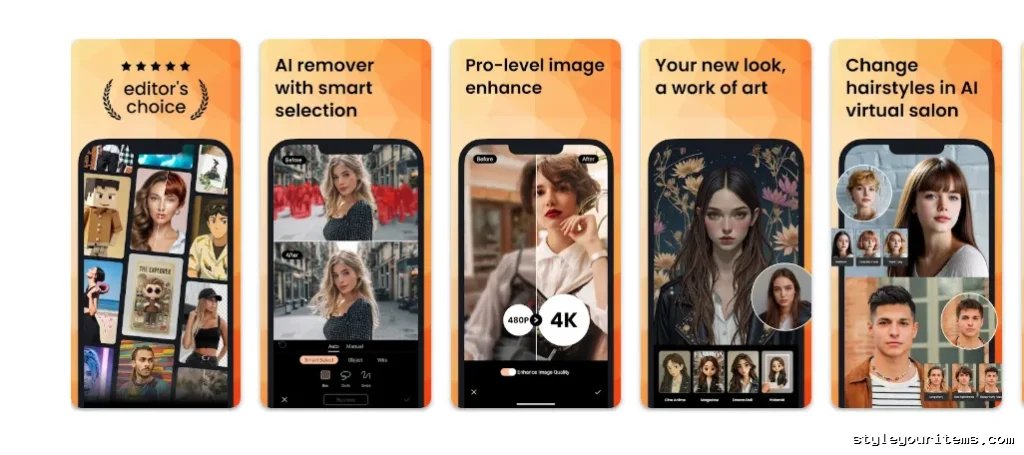
PhotoDirector is an absolute powerhouse. It acts as both a top-tier photo editor and an incredible collage maker. I love how it handles everything from basic grid layouts to complex, AI-powered photo enhancements.
Features:
- Over 300 customizable collage templates categorized by theme.
- Advanced AI tools for object removal and background replacement.
- Extensive library of animated stickers, text overlays, and filters.
Pros:
- Incredibly robust editing suite.
- Clean, beginner-friendly interface.
- Regular updates with fresh templates.
Cons:
- Some premium templates require a subscription.
- Can feel overwhelming if you only want a basic grid.
Download link: PhotoDirector on Google Play
2. PhotoGrid
When it comes to sheer volume and variety, PhotoGrid is tough to beat. I instantly noticed the massive “Grid” button right on the home screen, making it incredibly intuitive to use the second you open the app.
Features:
- Massive library of over 20,000 collage templates.
- Supports up to 16 images in a single grid without losing HD quality.
- Video and music integration for dynamic collages.
Pros:
- Highly intuitive design that automatically suggests layouts.
- Lets you mix photos and videos easily.
- Excellent aspect ratio presets for social media.
Cons:
- Ads can pop up frequently in the free version.
- Watermark on free exports.
Download link: PhotoGrid on Google Play
3. Canva
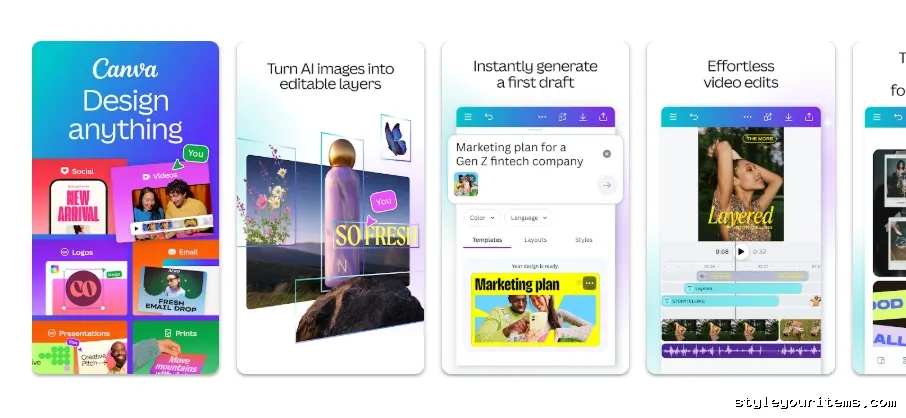
You probably already know Canva as a graphic design giant, but its Android app packs a serious punch for collage creation. I use Canva when I want my collages to look like they were designed by a professional agency.
Also read: Best Free Floor Plan App for Android
Features:
- Thousands of designer-made collage layouts.
- Full drag-and-drop editor for ultimate customization.
- Massive library of stock photos, graphics, and custom fonts.
Pros:
- Unmatched design flexibility.
- Syncs seamlessly across mobile and desktop.
- Great for creating professional marketing materials.
Cons:
- Requires an internet connection to function properly.
- Steeper learning curve than basic grid apps.
Download link: Canva on Google Play
4. PicCollage
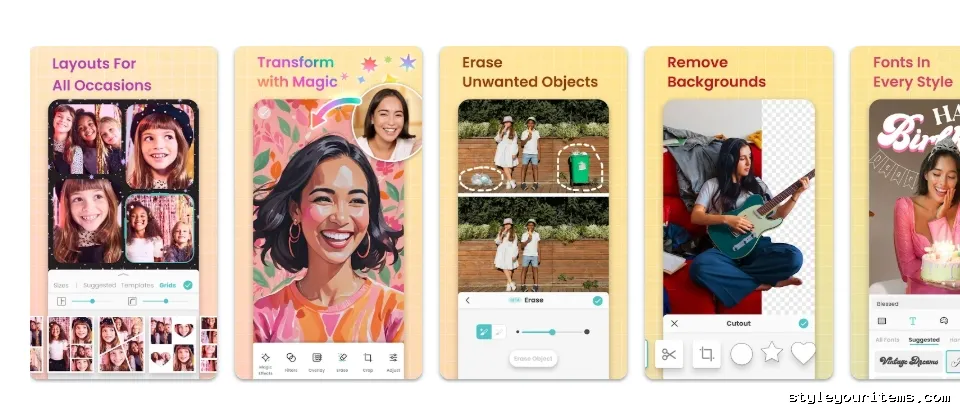
PicCollage is my go-to recommendation for users who want to make fun, highly customizable greeting cards or scrapbook-style collages. The freestyle mode gives you complete freedom to drag, drop, and rotate images exactly how you want them.
Features:
- Freestyle mode for arranging photos without a rigid grid.
- Ability to add short videos and animated GIFs.
- Seasonal templates for holidays and special events.
Pros:
- Super fun and easy freestyle editing.
- Great selection of cute stickers and backgrounds.
- Kid-friendly interface.
Cons:
- Grid snapping can sometimes hide parts of your images if you overload it.
- Free version leaves a watermark.
Download link: PicCollage on Google Play
5. Ribbet
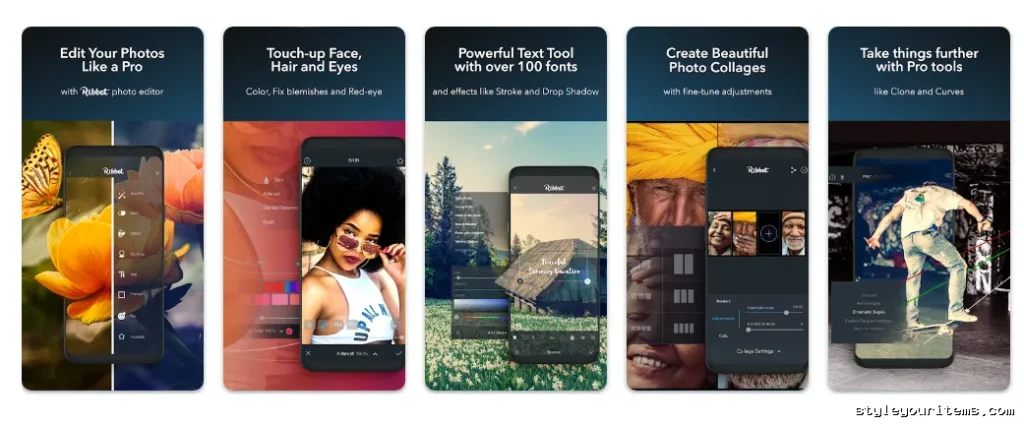
If you want an app that cuts out the clutter, Ribbet is the answer. It features a sleek, dark interface that makes your photos pop while you edit. I appreciate how quickly I can build a collage without navigating through endless menus.
Features:
- Over 500 free templates covering all basic grid needs.
- Built-in camera feature for instant snapping and gridding.
- Basic adjustment tools for tweaking exposure and color.
Pros:
- Very straightforward and fast workflow.
- Excellent for beginners.
- Free exports without annoying watermarks.
Cons:
- Lacks the advanced animation tools found in other apps.
- Template designs are a bit basic compared to competitors.
Download link: Ribbet on Google Play
6. MOLDIV
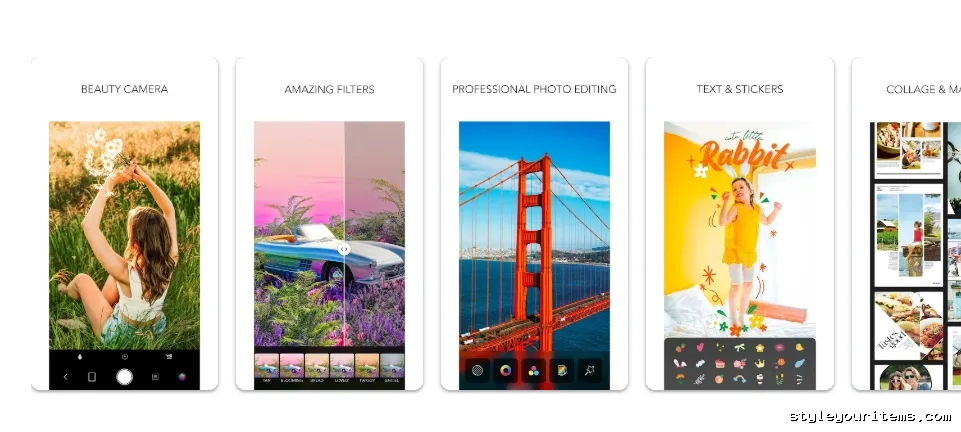
MOLDIV caters specifically to users who want their collages to look like trendy magazine covers. I was highly impressed by the unique layout styles that go far beyond standard square grids.
Features:
- Over 312 layout options, including unique magazine-style templates.
- Built-in beauty camera with live filters.
- Text tools with numerous designer fonts and styling options.
Pros:
- Magazine templates yield highly aesthetic results.
- Great built-in camera functions.
- Clean, uncluttered interface.
Cons:
- Many of the best magazine templates are locked behind a paywall.
- Ads can be intrusive during the editing process.
Download link: MOLDIV on Google Play
7. PicsArt
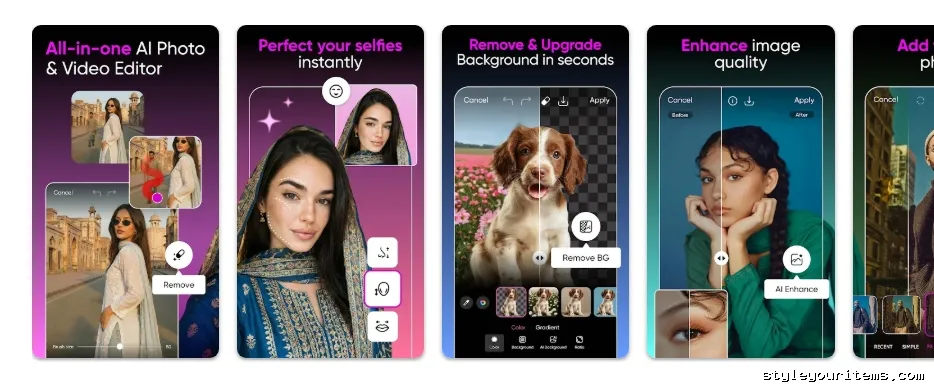
PicsArt is a creative juggernaut. If you want to push the boundaries of your collage maker apps download experience, this app offers tools you will not find anywhere else. From AI filters to community stickers, it is a creative playground.
Features:
- Advanced photo blending and cutout tools.
- Millions of free, user-generated stickers.
- AI-powered background removal and stylized filters.
Pros:
- Incredible amount of creative control.
- Massive, active community for inspiration.
- Powerful drawing and blending tools.
Cons:
- The interface can feel cluttered due to the sheer number of features.
- Heavy ad presence if you do not upgrade to gold.
Download link: PicsArt on Google Play
8. piZap
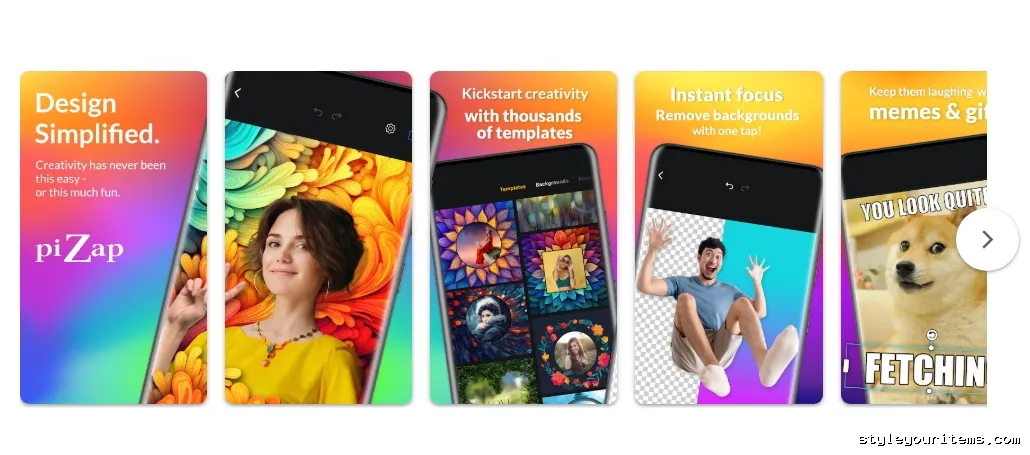
When I want to create something silly, vibrant, or meme-worthy, I open piZap. It does not take itself too seriously, offering bizarre stickers, wild fonts, and colorful borders that make editing fun.
Features:
- Over 1,000 grid layouts and colorful borders.
- Meme generator tools and unique cutout features.
- Huge selection of quirky stickers and emojis.
Pros:
- Perfect for making memes or fun, casual collages.
- Very easy to understand and use.
- Direct sharing to all major social platforms.
Cons:
- Not ideal for clean, professional, or minimalist aesthetics.
- The cutout tool requires a premium subscription.
Download link: piZap on Google Play
Comparing the Best Free Collage Maker Apps
To help you make a quick decision, I put together this comparison table highlighting how these apps stack up against each other.
| App Name | Templates/Layouts | Editing Tools | Ease of Use | Google Play Rating |
|---|---|---|---|---|
| PhotoDirector | 300+ | Advanced (AI, Retouching) | High | 4.3 ⭐ |
| PhotoGrid | 20,000+ | High (Video, Music, AI) | Very High | 4.9 ⭐ |
| Canva | Thousands | Advanced (Graphic Design) | Medium | 4.8 ⭐ |
| PicCollage | 500+ | Moderate (Freestyle, Stickers) | Very High | 4.8 ⭐ |
| Ribbet | 500+ | Basic (Filters, Text) | Very High | 4.7 ⭐ |
| MOLDIV | 310+ | Moderate (Magazine Styles) | High | 4.7 ⭐ |
| PicsArt | 1,000+ | Very Advanced (Draw, AI) | Medium | 4.5 ⭐ |
| piZap | 1,000+ | Moderate (Memes, Cutouts) | High | 4.7 ⭐ |
Wrapping Up: Which App is Right for You?
Choosing from these best free collage maker apps for Android really comes down to what you want to achieve with your photos.
- For the Absolute Beginner: If you want speed and simplicity, go with Ribbet or PhotoGrid. Both allow you to tap a few photos and instantly generate a gorgeous grid with zero friction.
- For the Social Media Enthusiast: Grab Canva or MOLDIV. MOLDIV gives you those trendy, magazine-style looks perfect for Instagram Stories, while Canva ensures your feeds look expertly curated and branded.
- For the Creative Pro: You need PhotoDirector or PicsArt. Both of these apps go far beyond simple grids, offering AI tools, advanced blending, and detailed photo manipulation that rival desktop software.
Stop letting your favorite memories collect digital dust in your camera roll. Download one of these top Android collage apps today, and start building visual stories that your friends and family will love.
Post a Comment